Original: $59.00
-65%$59.00
$20.65The Story
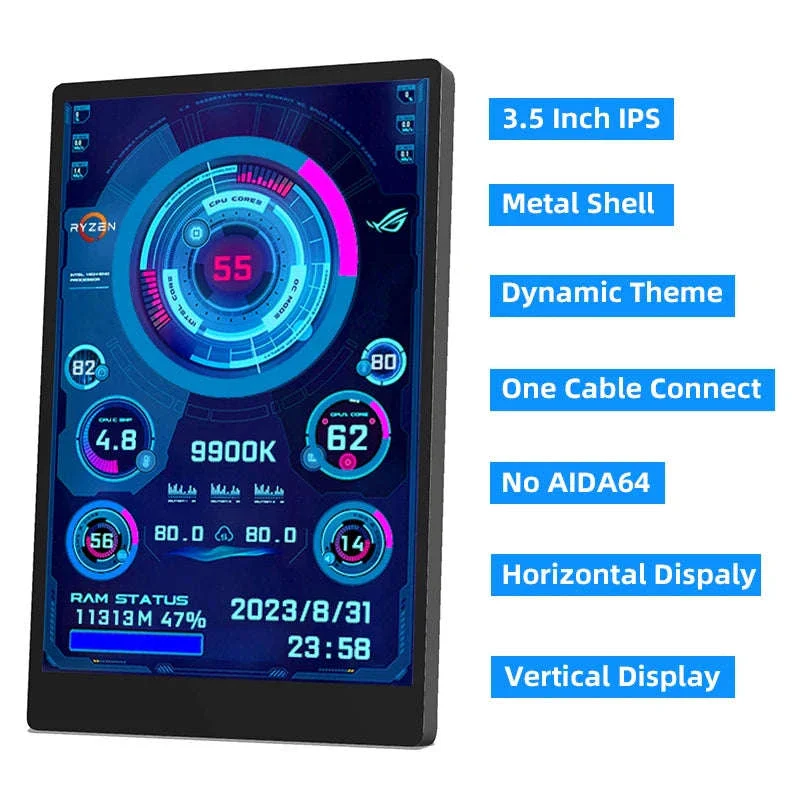
Keep your PC stats visible without opening extra windows. This 3.5 inch IPS secondary screen puts CPU, GPU, RAM, and HDD data right where you can see it.
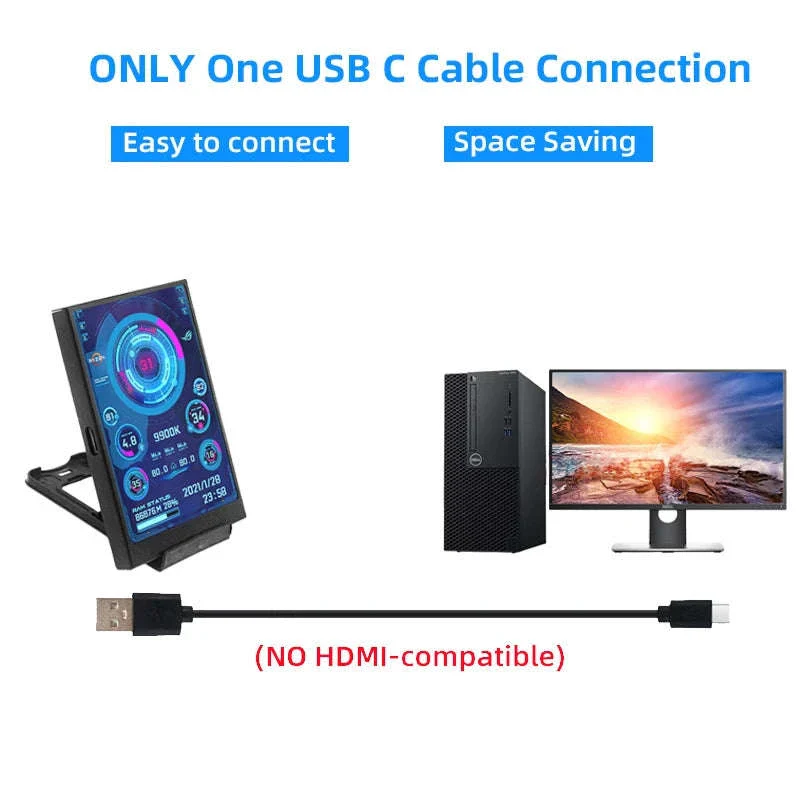
It fits cleanly into a work or gaming setup and keeps your desk focused. USB-C connection, rotation support, and simple software control make it easy to place and use.
Always See the Numbers That Matter
✅ Spot CPU, GPU, RAM, and HDD data at a glance so you can act fast
✅ Set it up with the USB-C cable and start using it without complex steps
✅ Rotate the display freely so the layout matches your desk and viewing angle
✅ Adjust brightness smoothly for comfortable viewing in different room lighting
✅ Keep your desk cleaner with a single-cable connection
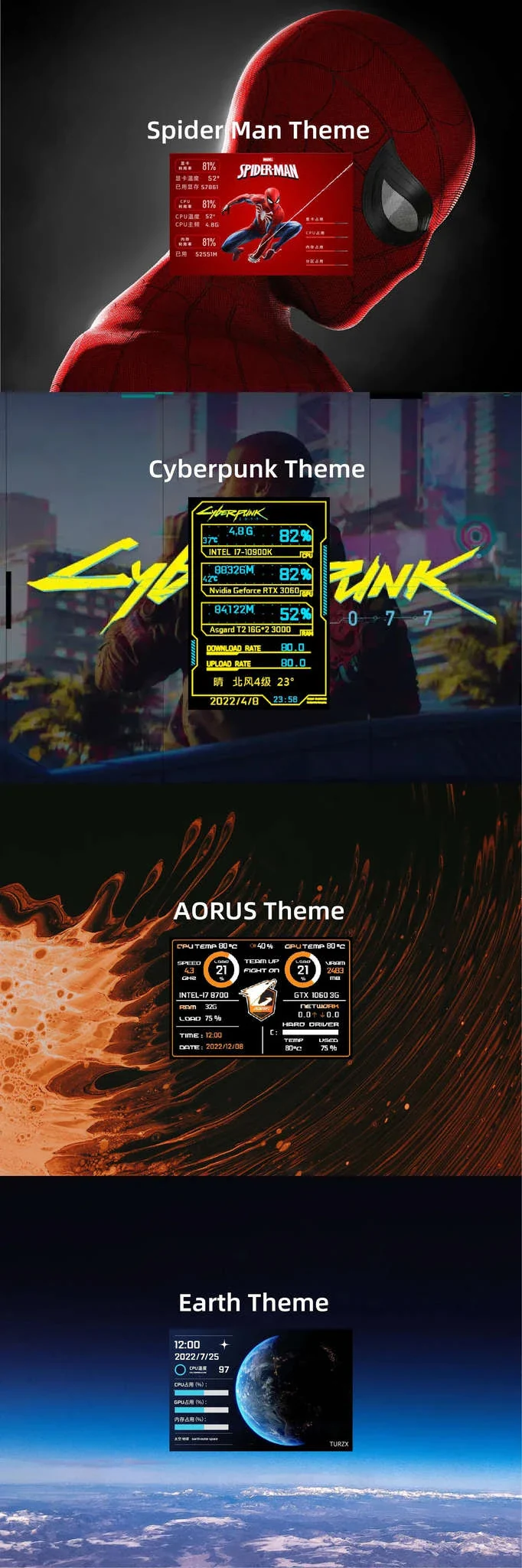
✅ Switch themes and wallpapers to make the screen fit your setup
✅ Display weather data for quick convenience during your day
The IPS panel keeps the display clear from different angles, which makes it practical beside or beneath your main monitor. It is made for Windows 10 and 11 users who want direct system visibility during work, gaming, or long sessions.
Built-in software gives you control over the look and layout, including theme switching, wallpaper changes, and one-touch settings. That keeps the experience simple while still giving you useful information on demand.
The metal shell adds a solid feel, while the thin profile keeps the screen from crowding your space. The included bracket offers stable placement when you want a fixed position or occasional repositioning.
Available packing options include black or white screens, with or without an additional 5-pin cable depending on your setup needs.
Bring system stats into clear view and keep your desktop more organized.
Details & Craftsmanship
Every detail has been carefully considered to bring you the perfect product.
Details & Craftsmanship
Every detail has been carefully considered to bring you the perfect product.

Details & Craftsmanship
Every detail has been carefully considered to bring you the perfect product.

Details & Craftsmanship
Every detail has been carefully considered to bring you the perfect product.

Details & Craftsmanship
Every detail has been carefully considered to bring you the perfect product.

Details & Craftsmanship
Every detail has been carefully considered to bring you the perfect product.

Details & Craftsmanship
Every detail has been carefully considered to bring you the perfect product.

Details & Craftsmanship
Every detail has been carefully considered to bring you the perfect product.

Details & Craftsmanship
Every detail has been carefully considered to bring you the perfect product.

Details & Craftsmanship
Every detail has been carefully considered to bring you the perfect product.

Details & Craftsmanship
Every detail has been carefully considered to bring you the perfect product.

Details & Craftsmanship
Every detail has been carefully considered to bring you the perfect product.

Details & Craftsmanship
Every detail has been carefully considered to bring you the perfect product.
Details & Craftsmanship
Every detail has been carefully considered to bring you the perfect product.

Details & Craftsmanship
Every detail has been carefully considered to bring you the perfect product.

Details & Craftsmanship
Every detail has been carefully considered to bring you the perfect product.

Details & Craftsmanship
Every detail has been carefully considered to bring you the perfect product.

Details & Craftsmanship
Every detail has been carefully considered to bring you the perfect product.

Details & Craftsmanship
Every detail has been carefully considered to bring you the perfect product.

Details & Craftsmanship
Every detail has been carefully considered to bring you the perfect product.

Details & Craftsmanship
Every detail has been carefully considered to bring you the perfect product.

Details & Craftsmanship
Every detail has been carefully considered to bring you the perfect product.
Description
Keep your PC stats visible without opening extra windows. This 3.5 inch IPS secondary screen puts CPU, GPU, RAM, and HDD data right where you can see it.
It fits cleanly into a work or gaming setup and keeps your desk focused. USB-C connection, rotation support, and simple software control make it easy to place and use.
Always See the Numbers That Matter
✅ Spot CPU, GPU, RAM, and HDD data at a glance so you can act fast
✅ Set it up with the USB-C cable and start using it without complex steps
✅ Rotate the display freely so the layout matches your desk and viewing angle
✅ Adjust brightness smoothly for comfortable viewing in different room lighting
✅ Keep your desk cleaner with a single-cable connection
✅ Switch themes and wallpapers to make the screen fit your setup
✅ Display weather data for quick convenience during your day
The IPS panel keeps the display clear from different angles, which makes it practical beside or beneath your main monitor. It is made for Windows 10 and 11 users who want direct system visibility during work, gaming, or long sessions.
Built-in software gives you control over the look and layout, including theme switching, wallpaper changes, and one-touch settings. That keeps the experience simple while still giving you useful information on demand.
The metal shell adds a solid feel, while the thin profile keeps the screen from crowding your space. The included bracket offers stable placement when you want a fixed position or occasional repositioning.
Available packing options include black or white screens, with or without an additional 5-pin cable depending on your setup needs.
Bring system stats into clear view and keep your desktop more organized.